Technology for access to justice · suite PortalWithLasers
Advanced multi-select filter
Combined filters and batch actions on the list of court notices in the Defensoria's Portal, for anyone who receives court notices in high volume.
Visit the official siteThe problem
Some Defensoria offices receive court notices in high volume and have their own workflow. CECOF, the Court-Awarded Fees Collection Centre, which I coordinate, is one of them. In the list of court notices in the Defensoria’s Portal, there are few filters and notices are selected one at a time.
What was built
A Chrome extension, a sibling of PowerToys, for the list of court notices in the Portal’s workspace. Unlike PowerToys, it is not for testing ideas for the Portal. It adds very specific filters, which grew out of CECOF’s needs and also serve the offices doing casework. Its distribution is more restricted than PowerToys’, and there is no point installing the extension unless you are a Portal user.
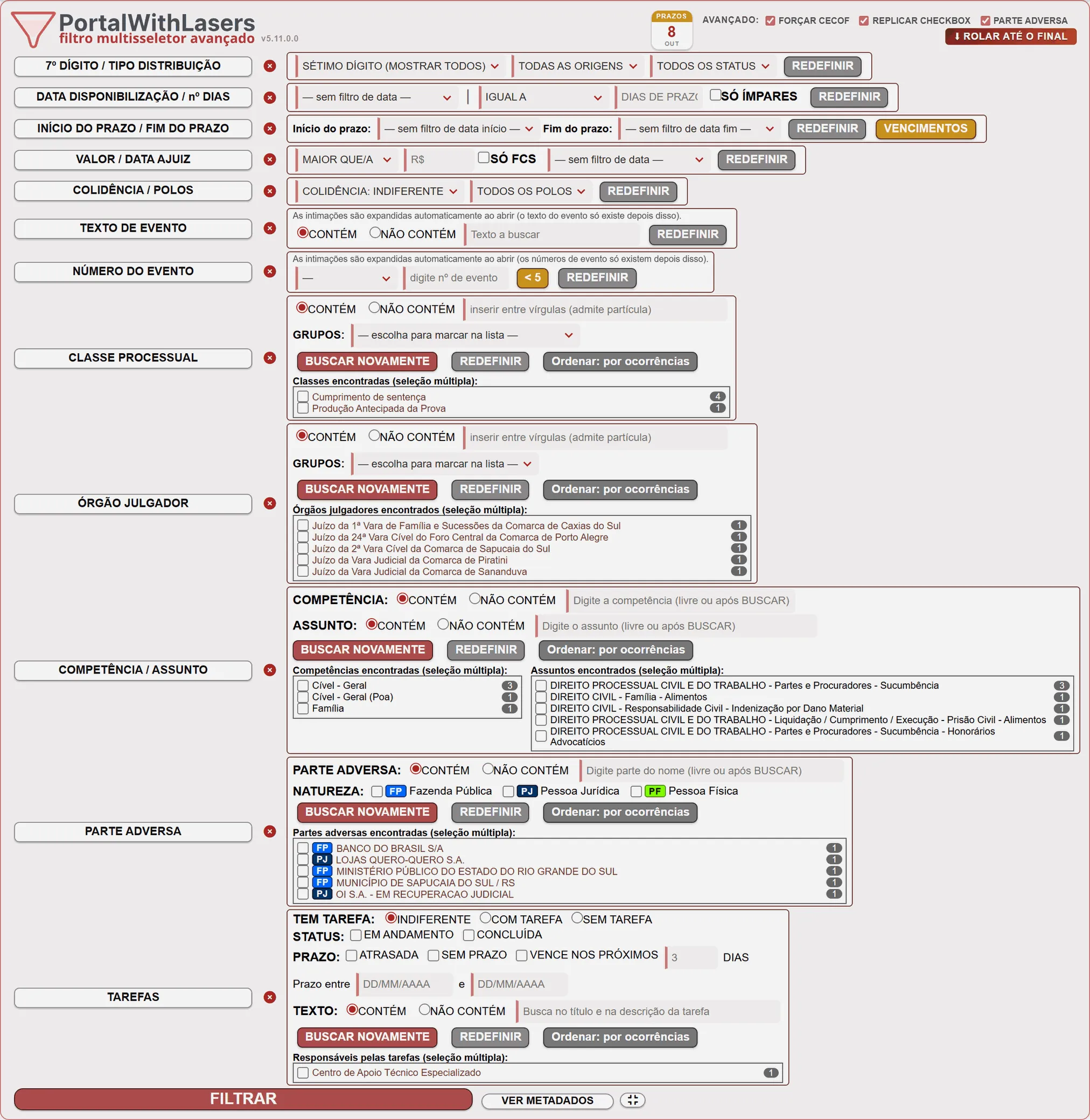
The criteria combine, and the Filtrar (Filter) button applies them all at once:
- 7th digit of the case number
- origin and status: pending or deadline running
- availability date, start and end of the deadline, and length of the deadline in days
- party side, case class, court, jurisdiction and subject
- opposing party and its type: individual, government or legal entity
- value of the claim and filing date
- event text and number
- tasks linked to the court notice
- list of court notice IDs
For the text and list criteria, you can choose between contains and does not contain. Before filtering, the extension scrolls the list to the end by itself, so that whatever the Portal had not loaded yet also makes it into the result.
After filtering, you can act on what is left visible without clicking card by card: select all the court notices, select the first N groups, generate the links to the cases or create an associated task. Grouped court notices from the same case are never split up.
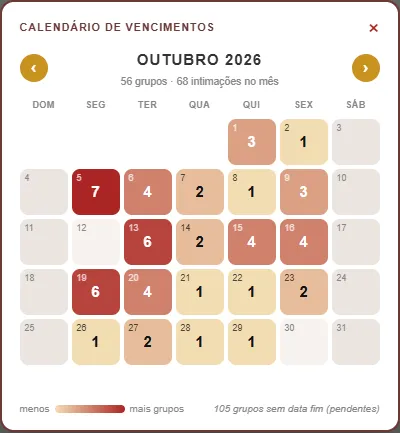
Each court notice can also show, on demand, the value of the claim, the filing date, the jurisdiction, the subjects and the opposing party. In the header, a due-date calendar paints the days when more groups fall due in a stronger colour.
Gallery
Screens from the institutional site: