Technology for access to justice · suite PortalWithLasers
PowerToys
A prototype lab for the Public Defender's Office Portal: more than 40 features tested by the people who use them, and some are already official features.
Visit the official siteThe problem
The Public Defender’s Office Portal is the system where defenders, staff, interns and residents spend their day: appointments, court notices, tasks, filings. Many tasks there repeat themselves and take too many clicks, and the people who use the system every day keep having ideas about what could be different.
What if customisation could be done at a low development cost, as a prototype, and also inform the decision on new features for native development? That is what we did.
What was built
A Chrome extension that works as a prototype lab for the Portal. Each feature starts as a prototype, from a day-to-day difficulty. What proves useful in real use becomes a requirement, with evidence, for the team that develops the Portal. What does not prove useful is dropped. There is no point installing the extension unless you are a Portal user.
There are more than 40 features, and each one switches on and off in the extension’s panel. Every element it adds carries an orange flask, to tell what is experimental apart from what is native to the Portal.
The ones I would highlight:
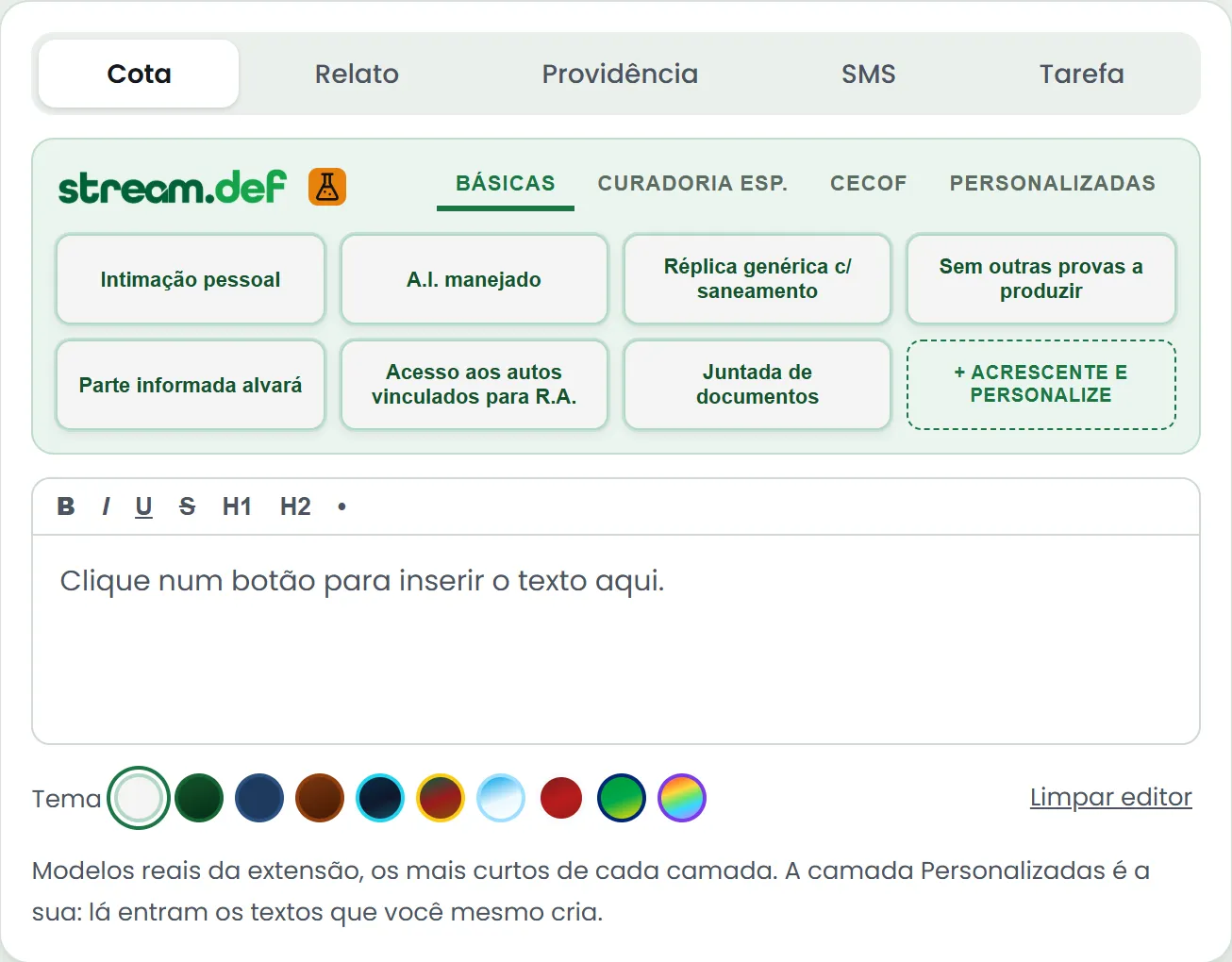
- StreamDef. Inspired by the Stream Deck, Elgato’s button panel used in live streaming, it appears above the Portal’s editors. Each button inserts a ready-made text, and the panel changes with the field: cota (the case note), relato (the account), providência (the action), SMS or task message.
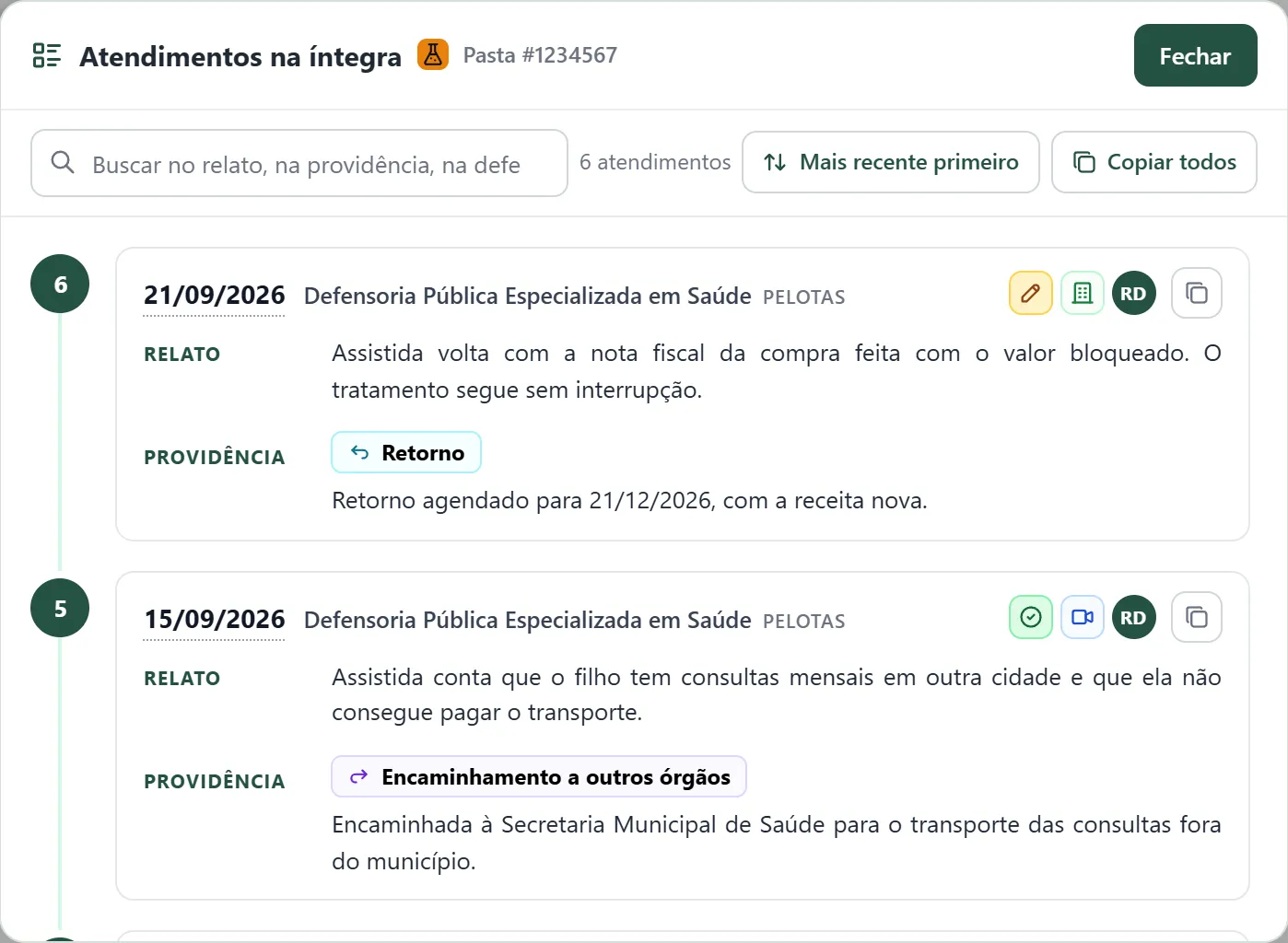
- Appointment timeline. All the appointments in the folder in a single window, numbered in chronological order, with the relato and providência in full, word search and copying. There is no need to open them one by one.
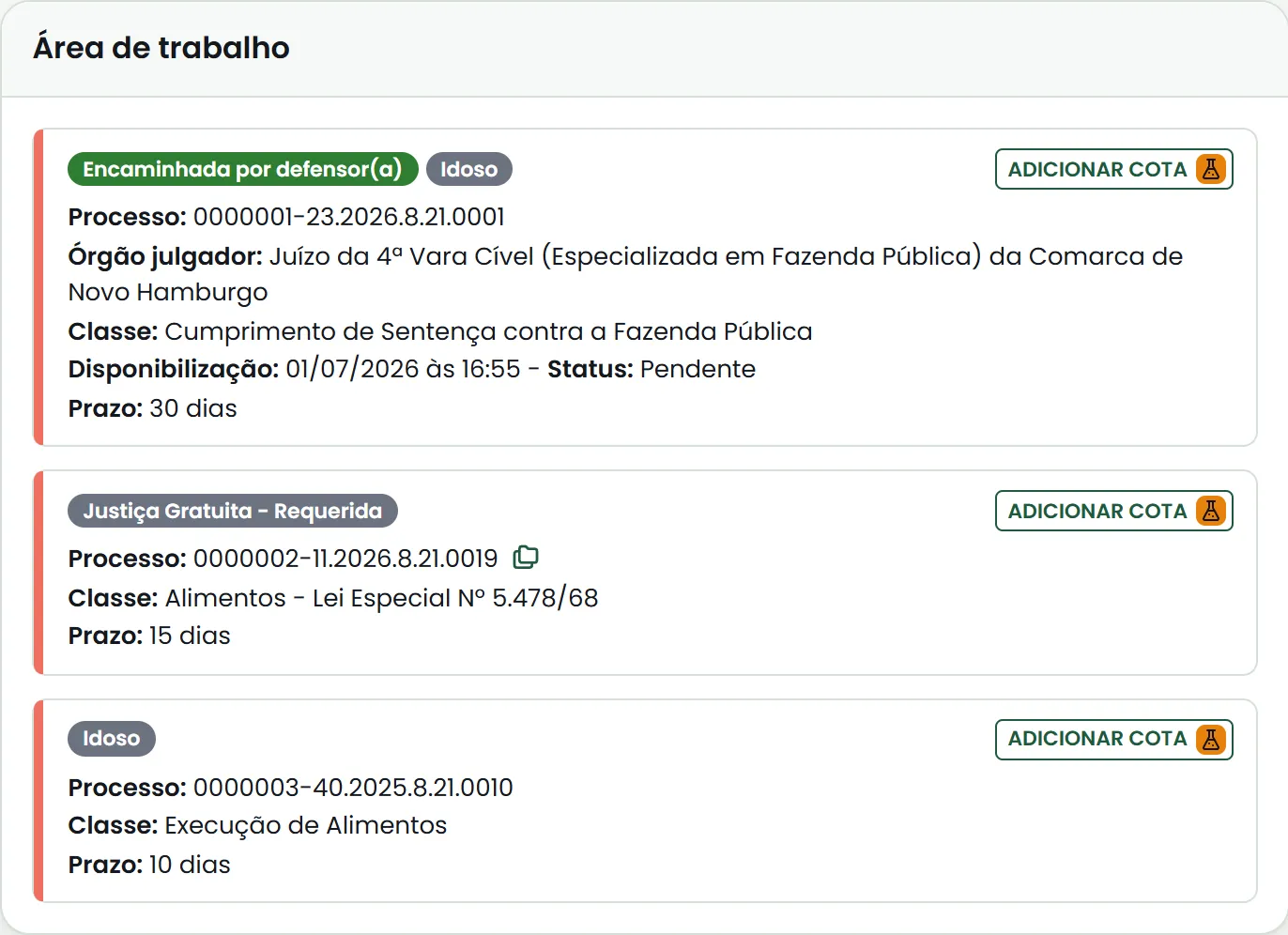
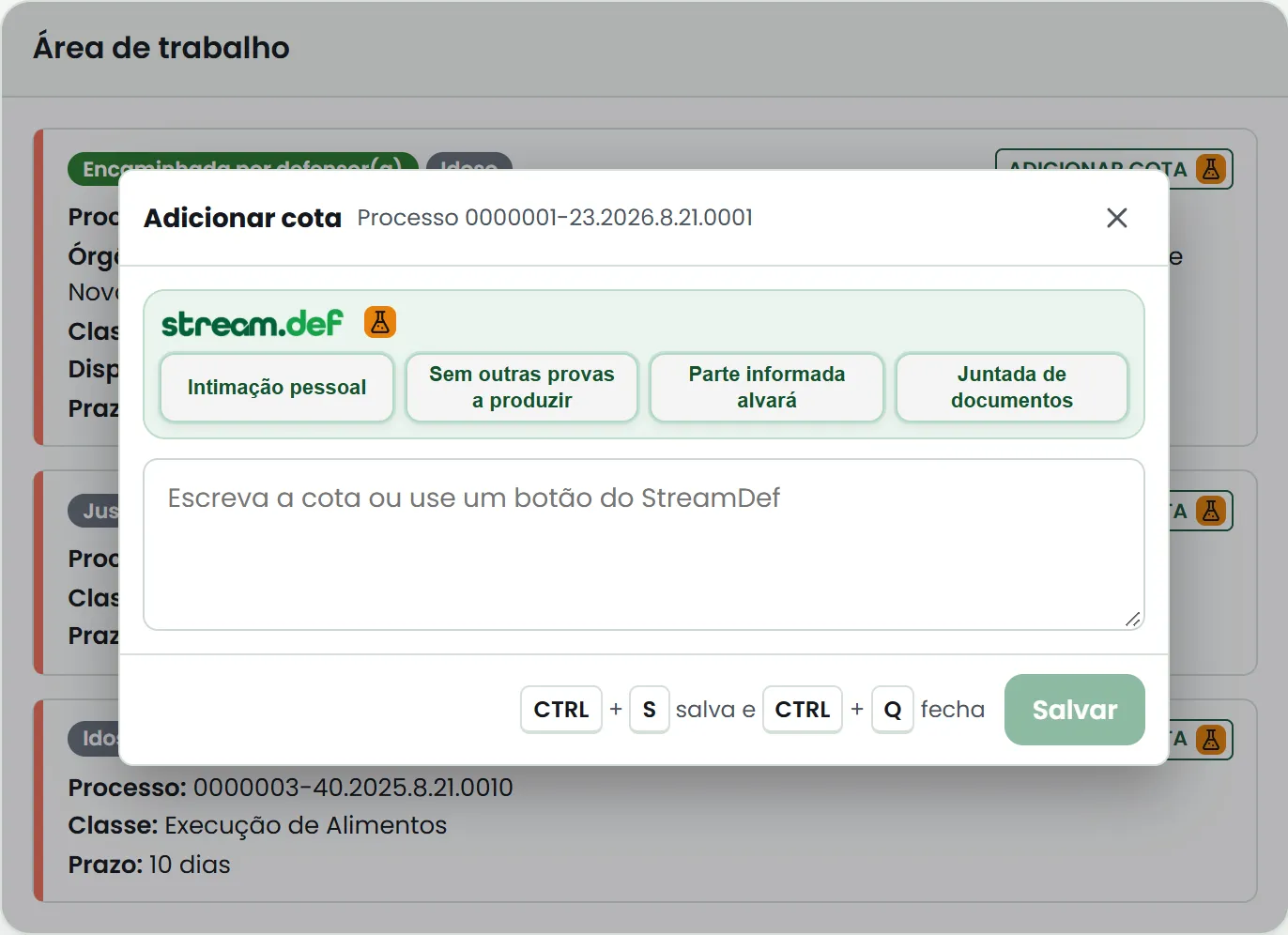
- Add a cota straight from the court notices panel. Each court notice gets an Adicionar cota (Add cota) button, which opens the cota right there. On saving, the interim filing opens in a window over the list. Once the window is closed, the user is still in the workspace.
Some features have already been taken into native development and discontinued in the extension: the document preview on mouse hover, the colours by document type and Copiar Fácil (Easy Copy).
In 2026, PowerToys was a finalist for the J.Ex Innovation Award, in the Innovation Labs category.
How it was built
The project started in July 2024, before agentic AI, during a bout of tendinitis, so coding with AI back in the “early days” was my school in still doing by hand certain tasks that are delegated today, reading tutorials, fixing errors, which taught me a lot.
The extension runs on plain JavaScript, with no backend: it really is a turbocharger, not a new Portal. It only reads data from the Portal and, when it needs to act, clicks and types on the screen itself, as the user would, leaving the final step of sending to the user. In practice, it is like having night-vision goggles and hyper-fast hands.
It follows the idea of macros and automation. AI was used to develop the tool; the tool does not use AI when people use it.
Visual integration is always a challenge. What the extension adds has to look like part of the Portal and, even so, be recognisable as a prototype.
The name comes from a 2000s Orkut meme: putting “with lasers” in the name of something meant it had become more powerful. PowerToys is a tribute to Microsoft PowerToys, which grew out of prototypes that Windows 95 developers made in their spare time. The project has no connection with Microsoft.
Gallery
Screens from the demos on the institutional website, with fictitious data: